
How it works
From first call to first booking
Reservanta works out which spaces and staff each booking needs, so customers only ever see times your venue can really run. Here is how a venue gets started, and what happens behind every booking.
Step 1
We set up your venue with you
On a video call we enter your venue as it really is, and you check every detail as we go. Nothing is copied from a template that does not fit.
- Your spaces, and which ones combine
- Packages, tiers, prices and group sizes
- Opening hours, start times, and set-up and clean-up time
- Your terms, questions and emails
Bring to the call
- Your rooms, arenas or other spaces
- Your packages, prices and group sizes
- Your opening hours and busiest times
- Your terms, and anything you ask customers
Step 2
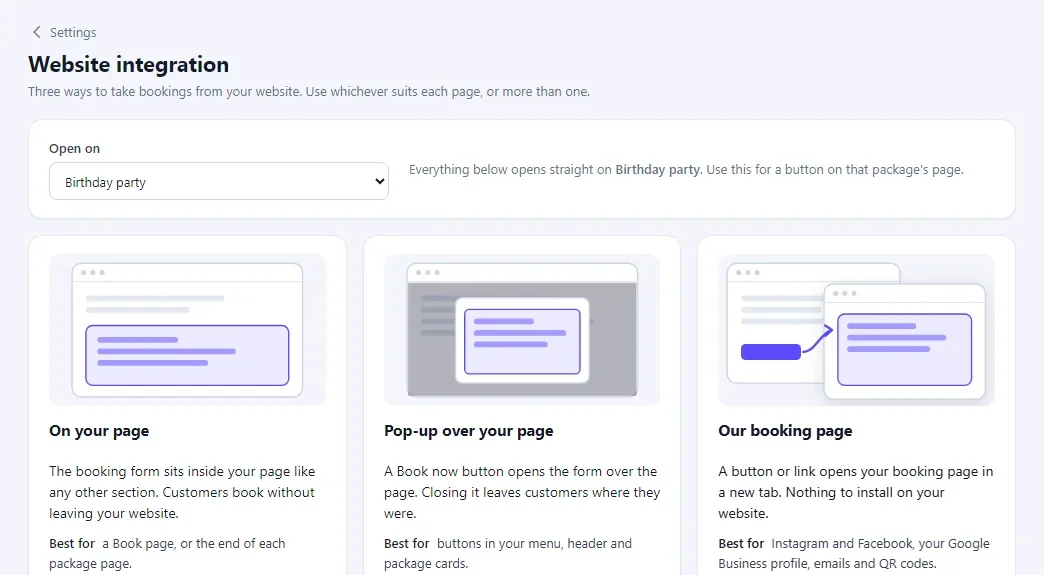
Add it to your website
Copy one line into your website, open a pop-up from your own buttons, or share your booking page on Instagram, Google and in emails.
- The form inside any page
- A pop-up over the page from any button
- Your own booking page with your name and colours
Step 3
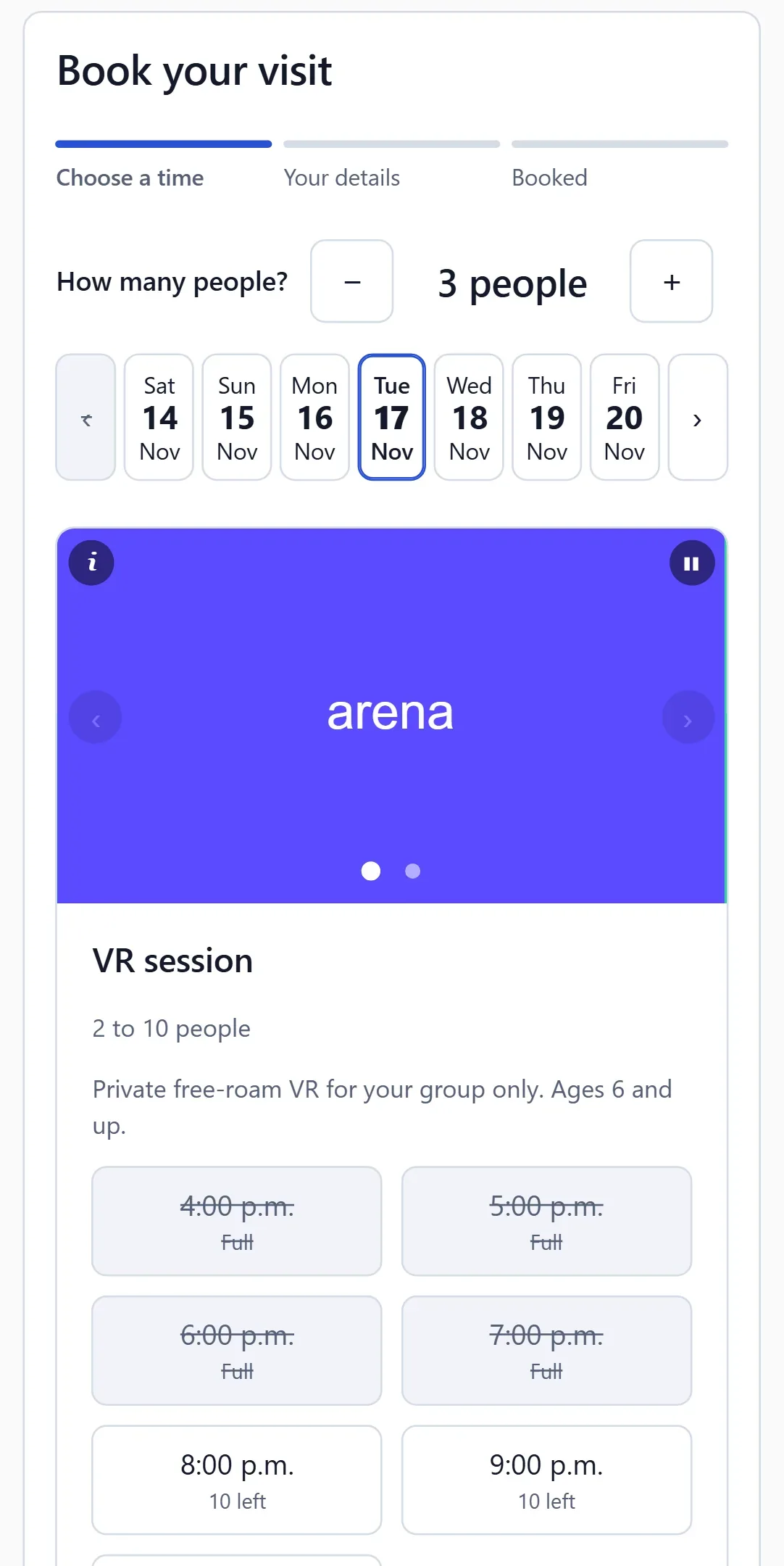
Customers book themselves
They choose a package, a group size and a time, accept your terms, answer your questions and book in about a minute. Big parties send a request, and the time is held while you decide.
- Only times you can run are shown
- A confirmation email straight away
- They can cancel online within your notice period
Step 4
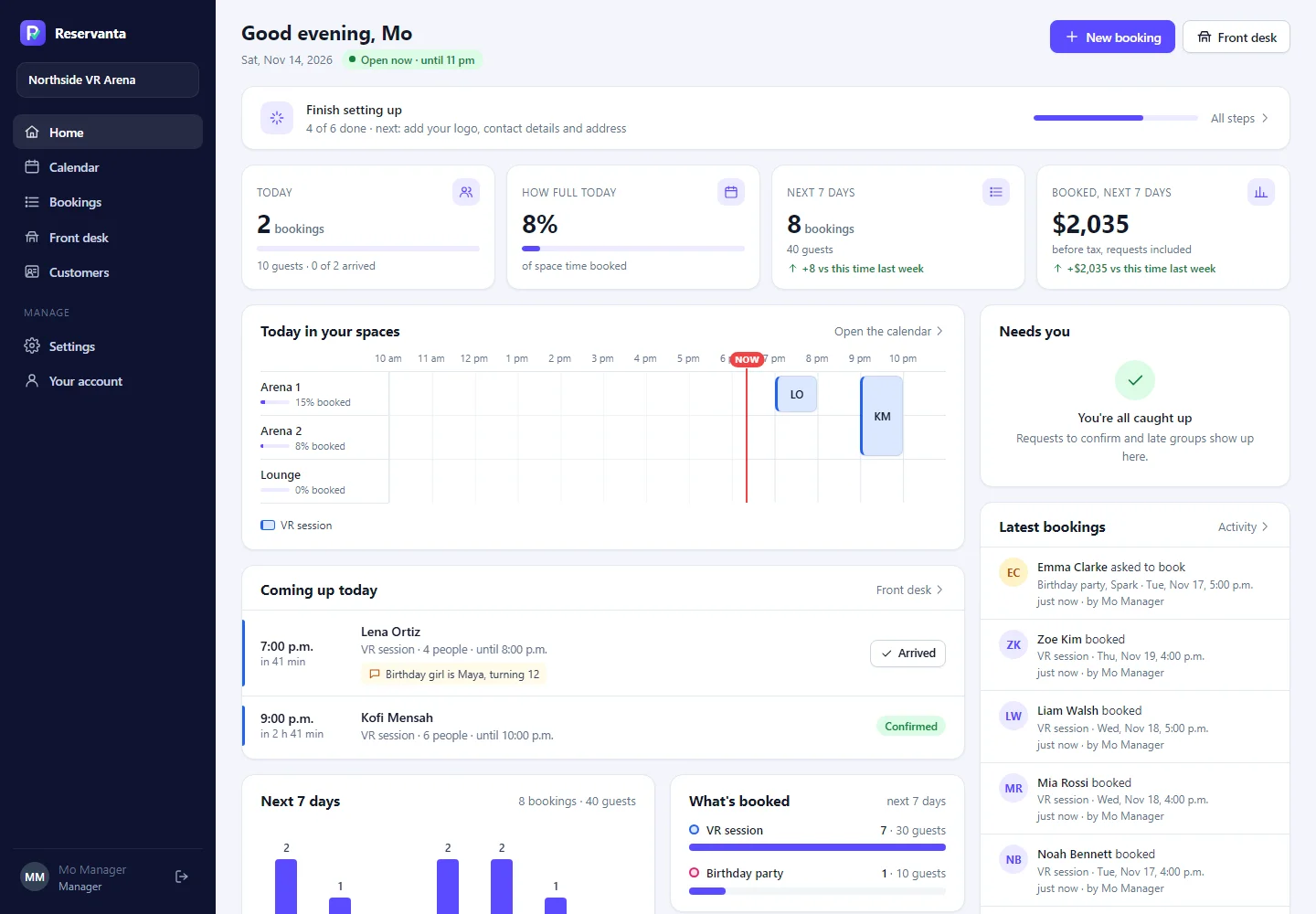
Run the day from one screen
Your team sees each booking as it arrives, confirms requests, checks guests in and books phone calls in the same calendar. Reminders and thank-you emails go out by themselves.
- Today by space, and what needs a decision
- Check-in at the desk
- Bookings in your Google Calendar too
Behind every booking
Why double bookings cannot happen
Seat counts work for restaurants. Venues need the right rooms and people at the right time, so every booking passes four checks.
The group decides the spaces
Your rules say which spaces suit each group size. At our demo arena, two to five players take one arena and six to ten take both.
Spaces and staff are checked together
A time is offered only when every space and person the booking needs is free, including set-up and clean-up time.
The time is held while they book
Once a customer picks a time, it is held for a few minutes, so nobody else can take it while they type.
The database has the last word
If two people press Book at the same moment, the database accepts one and refuses the other. No overlap gets through.
Your website
Three ways to take bookings on your website
Use one, or a different one on each page. Each can open on a single package.
On your page
The booking form sits inside your page, as wide as the space you give it.
- Paste one line
- Fits any page width
- Best for a Book now page
Most flexible
Pop-up over your page
Any button on your website opens the form over the page, so visitors never leave.
- Works with your own buttons
- Visitors stay on your page
- Best for package and party pages
Our booking page
Your own booking page with your name and colours. Nothing to install.
- One link to share anywhere
- Opens in a new tab
- Best for Instagram, Google and emails
Works with Webflow, WordPress, Squarespace and any website that takes a line of code.
See it with your own venue
A 30-minute call: we set up one of your spaces while we talk. Then try it free for 14 days, no credit card required.